AI-Powered Employee Performance
Reporting Automation
Automatically fetch performance files, extract key numbers, write AI summaries, and text final report PDFs straight to managers over WhatsApp and SMS.
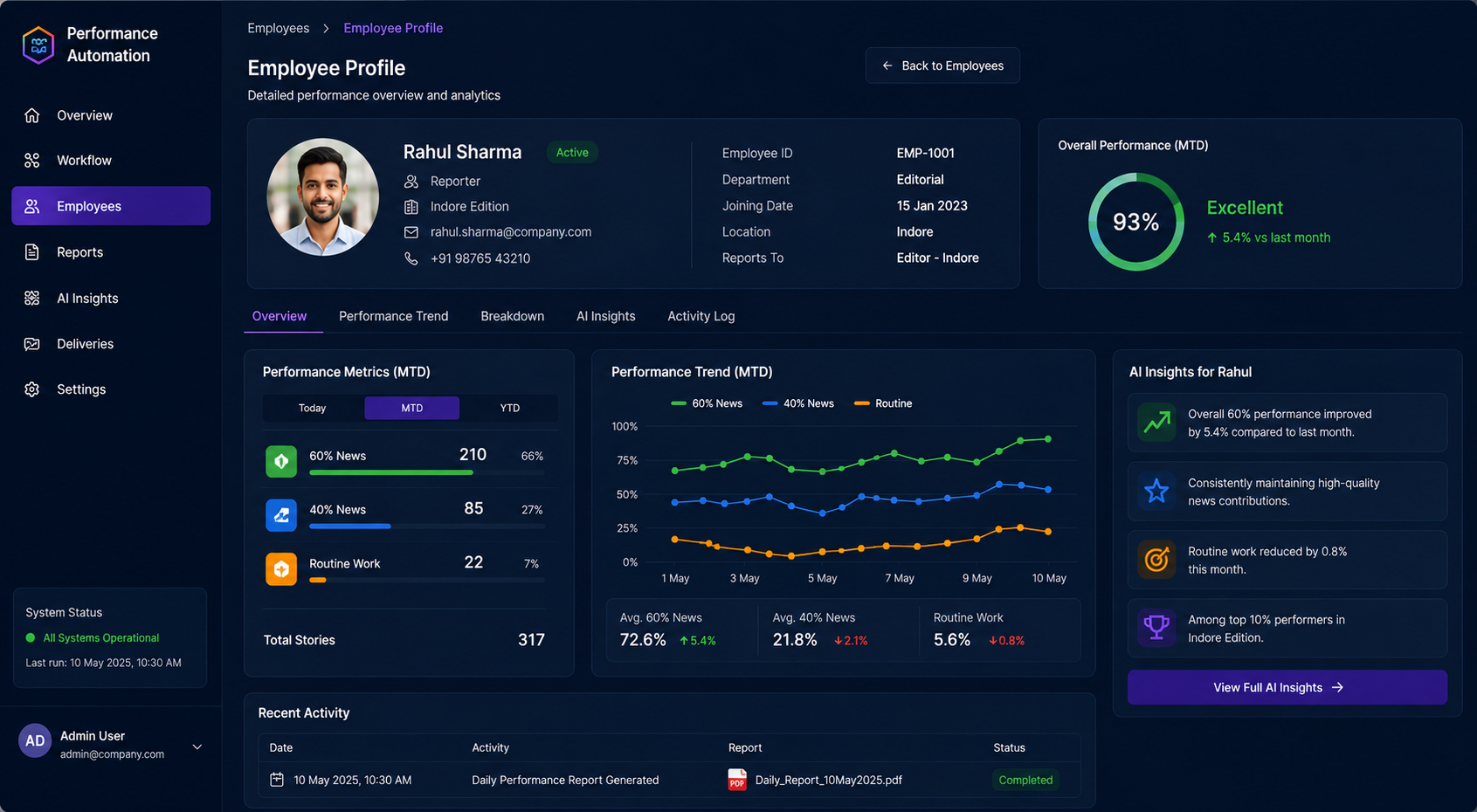
Performance Reviews
Without the Paperwork
Let AI collect employee achievements, track progress, and generate professional reports automatically—so your managers can focus on people instead of data entry.
Get Your AI Reporting SystemData-to-Document AI
Faster, smarter & always accurate
Reports in Seconds
Automatically opens spreadsheets and PDFs, grabs the key numbers, and calculates performance scores instantly.
Zero Manual Work
Handles everything from fetching GCS files to writing AI summaries and texting PDFs without copying and pasting.
Built to Scale
Easily handles hundreds of employees, sends different reports to different office locations, and supports custom scorecards.
What the Workflow Does
This pipeline automates the full reporting lifecycle for employee performance data.
1. Fetch Report
Retrieve performance reports from Google Cloud Storage.
2. Process & Extract
Convert PDF to Excel and extract performance data.
3. Transform to JSON
Clean and structure the data into JSON format for analysis.
4. AI Analysis
AI models analyze data and identify top & bottom performers.
5. Generate & Deliver
Generate PDF report and send via WhatsApp / SMS to stakeholders.
How It Works
Purpose of the Workflow
The workflow is designed to automate employee performance reporting with consistency, accuracy, and speed. It replaces fragmented spreadsheet handling and repetitive report preparation with a governed automation layer.
How Files Are Fetched from Google Cloud Storage
n8n monitors or retrieves source files from Google Cloud Storage buckets based on reporting schedules, naming conventions, or folder logic. This ensures the automation always works from the latest approved inputs.
How Employee Performance Data Is Processed
Incoming files are classified, validated, and routed into the correct extraction path. The system handles performance PDFs, spreadsheet exports, and structured attachments while maintaining traceable execution across each report cycle.
How PDF Reports Are Converted into Structured Data
PDF Processing and ConvertAPI are used to transform report files into machine-readable content. Where needed, XLSX Extraction is applied to tabular exports so operational metrics remain intact during conversion.
How the System Transforms Data into JSON
JavaScript transformation nodes normalize extracted fields into JSON objects. This creates a clean, predictable schema that downstream logic can use for calculations, model prompts, routing decisions, and report assembly.
How Today, MTD, and YTD Metrics Are Extracted
The workflow calculates and maps Today, Month-To-Date, and Year-To-Date performance metrics from the normalized dataset. KPI windows are aligned to reporting rules so operational leaders can compare current output with cumulative trends.
How AI Analyzes Employee Performance
OpenAI and Google Gemini are used to interpret metrics, identify meaningful performance patterns, and explain movement across KPIs. This layer adds contextual analysis rather than only presenting raw numbers.
How Top and Bottom Performers Are Identified
Ranking logic compares employees against configured scorecards, thresholds, and variance rules. The automation highlights top performers, low performers, and outliers for management review without requiring manual sorting.
How Summaries Are Generated Using AI Models
AI models generate executive summaries, employee-level observations, and manager-friendly narrative outputs. The resulting commentary is concise, structured, and suitable for enterprise reporting workflows.
How Final Reports Are Created in PDF Format
Once analysis is complete, the system renders formatted report payloads into branded PDF outputs. This provides a consistent, distributable document for leadership teams, operations, and department heads.
How Reports Are Distributed Using WhatsApp and SMS APIs
REST APIs connect the workflow to WhatsApp API and SMS Gateway APIs so final reports can be pushed automatically to stakeholders. Distribution rules can support instant delivery, scheduled dispatch, and escalation-based messaging.
How Conditional Routing Works by Department and Location
The automation applies conditional routing logic to determine which teams receive which reports. Department, location, role, or reporting hierarchy can all be used to send tailored outputs to the correct audience.
Analytics & Performance Dashboards
Gain complete visibility into your operations. Our automated dashboards present employee achievements, target progressions, and detailed breakdown analytics in real-time.
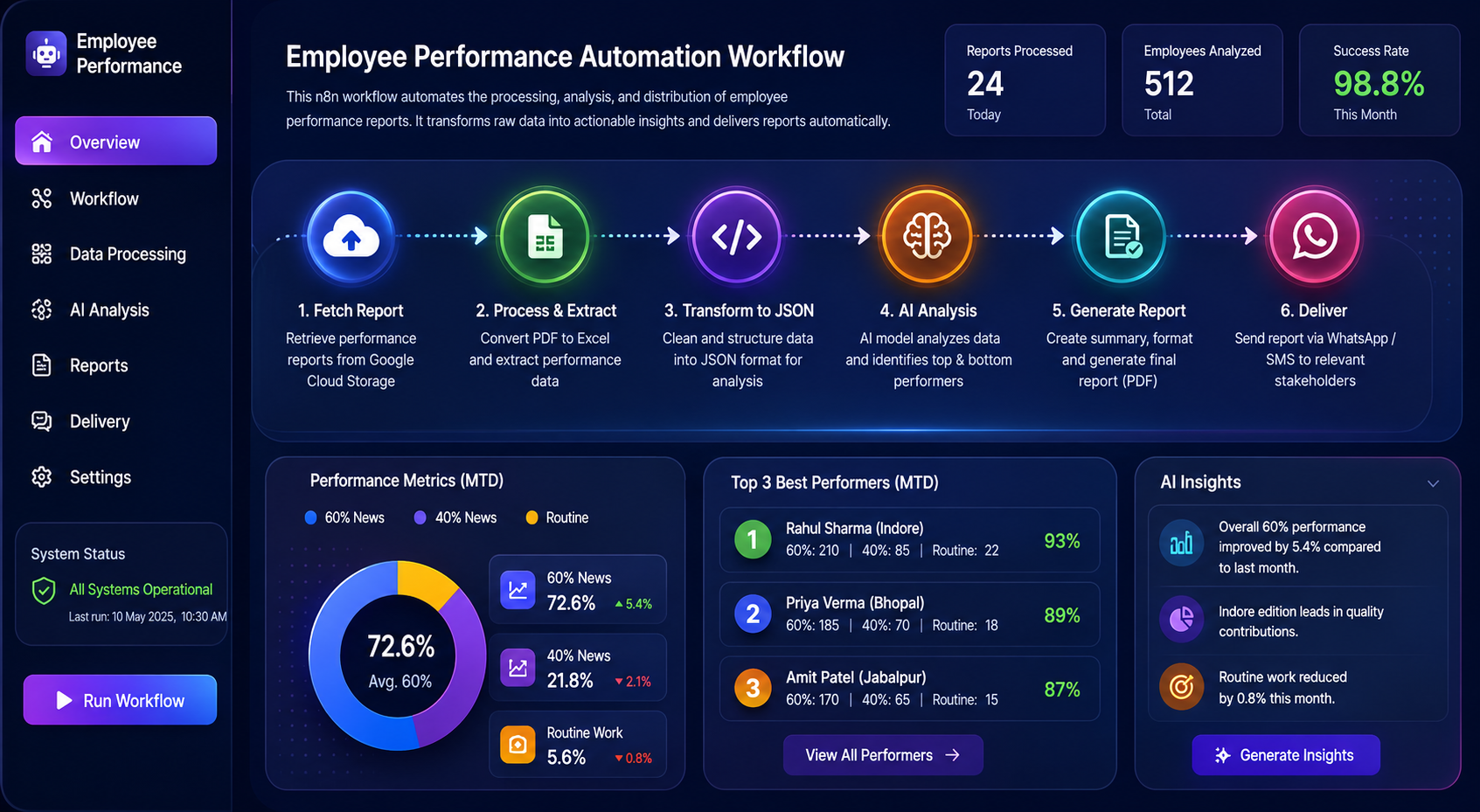
Advanced Performance Metrics
Track scores, target hit rates, and departmental rankings using a highly visual grid that simplifies performance appraisals.
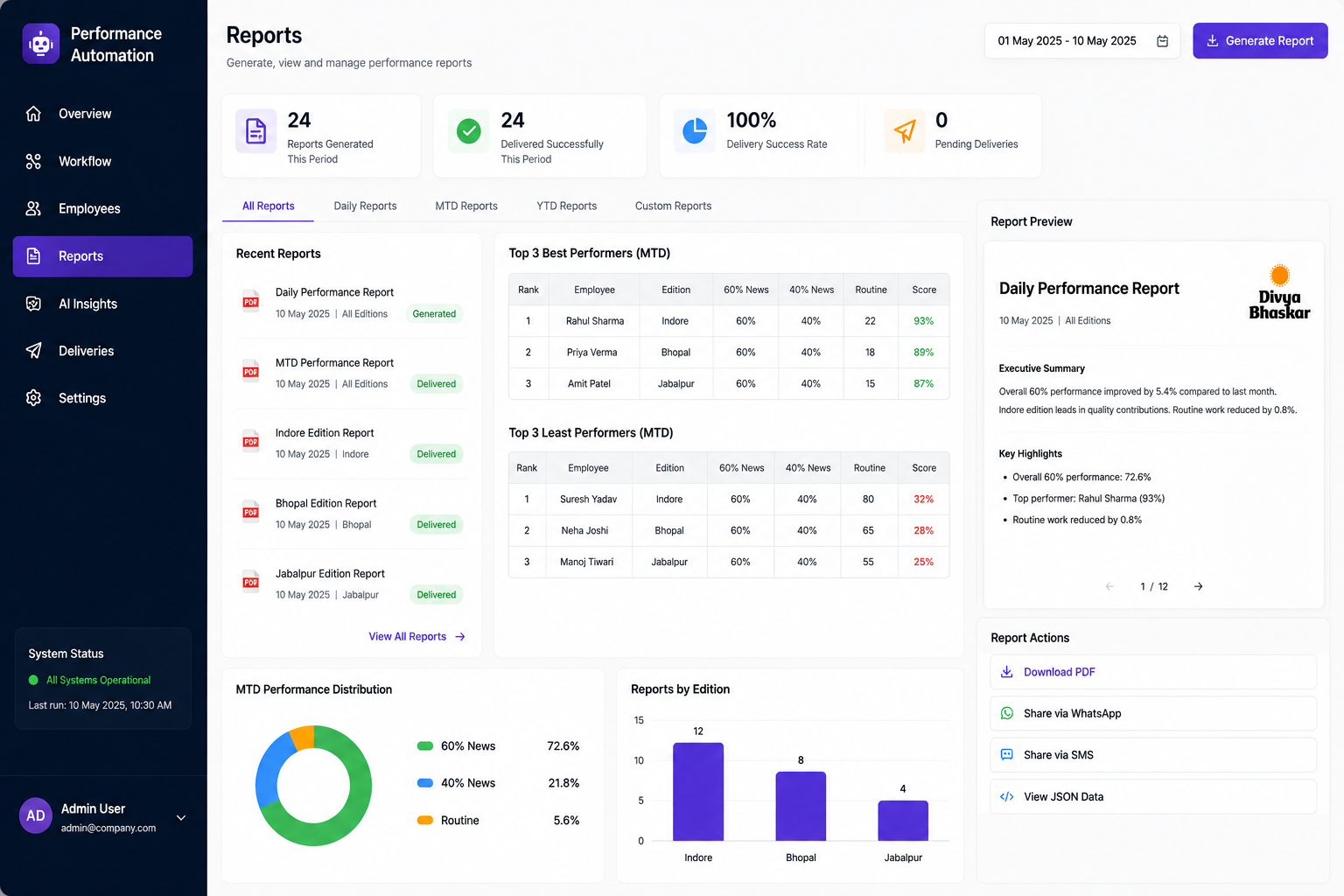
Comprehensive Performance Overview
Access consolidated summaries, individual KPI progress bars, and historical comparisons to make informed management decisions.
Technologies Used
The workflow combines orchestration, storage, AI models, document conversion, API integrations, and structured transformation layers to support enterprise-grade automation.





Benefits of the Automation System
How automating your reporting helps your managers, sales leaders, and HR teams save time.
Save Hours of Copy-Pasting
Forget downloading files, copying numbers into Excel, and formatting PDFs. The system handles all of it automatically.
Never Miss a Mistake
Calculates scores and performance points using the exact same logic every single time, so your data is 100% accurate.
Instantly Spot Trends
Uses AI to instantly flag top performers, low scorers, and anomalies, showing managers what needs attention without manual sorting.
Auto-Route by Department
Delivers the right PDFs to the right managers automatically based on their location or team, keeping files secure.
Real-world Use Cases
See how different departments use automated reporting to simplify daily work.
Tracking Daily Sales
Send daily performance scores and updates to field sales agents and shop managers automatically every morning.
Monthly Team Reviews
Gather metrics for HR, support, and finance teams, write summary paragraphs, and email them to department heads.
Alerting Regional Managers
Immediately flag and text critical performance drops or outliers directly to regional directors to handle right away.
Built for Teams of Any Size
Whether you are reviewing ten sales reps or hundreds of field agents across multiple branches, this pipeline scales effortlessly to handle your volumes.